Bulin47 AI Video Examples
These Bulin47 AI video examples are real clips rendered by this site's generator, each from one portrait. They show what you get from a single photo: the same crowd, camera and moves, with your face and outfit in place of the man in the middle.
Last updated:
Bulin47 AI video examples made with this generator
The portrait is a fictional adult made for this sample. No real person's photo was used as the input.
What changes with your photo and what stays
A video is made by fitting one face and body into a fixed scene. That is why different people can join the trend while every result still looks like the same clip.
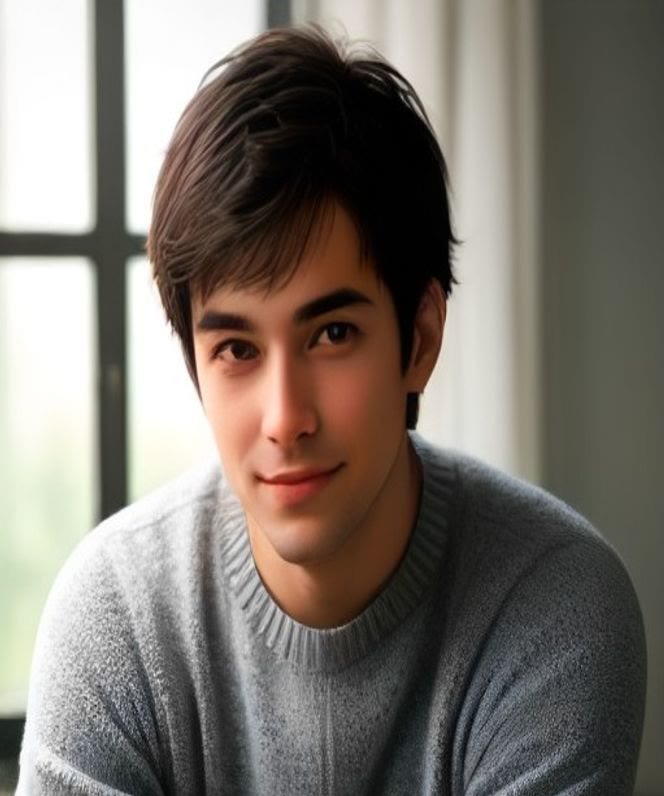
Your photo
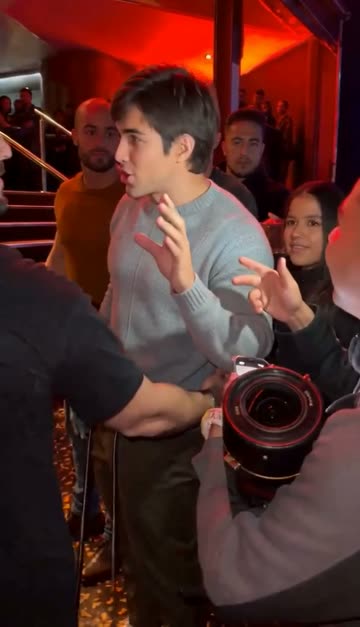
3 seconds in
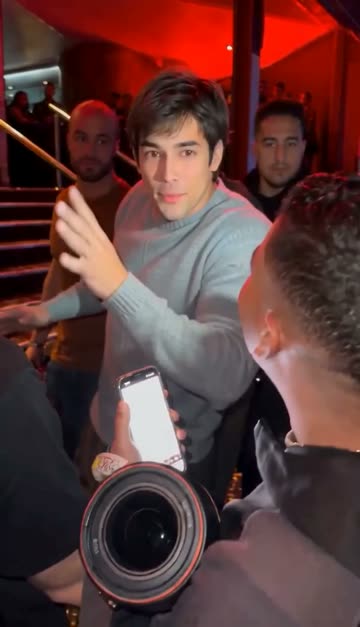
6 seconds in
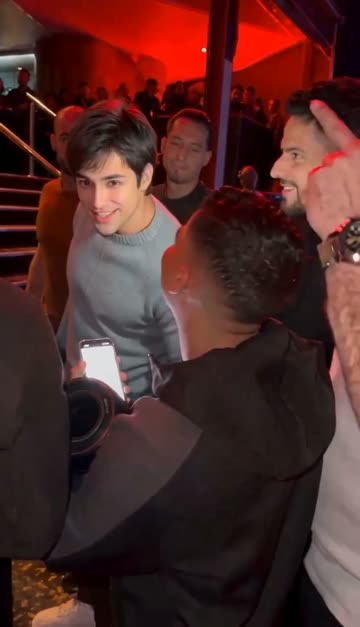
9 seconds in
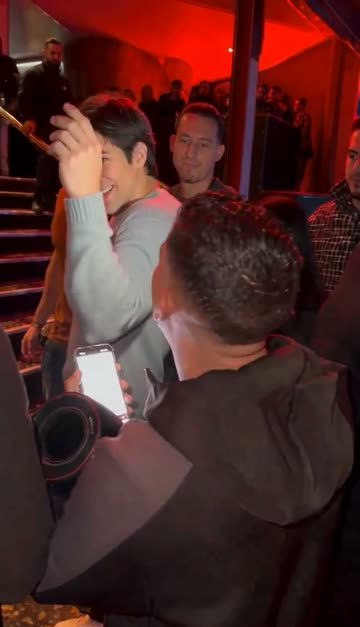
12 seconds in
| Changes with your photo | Stays the same |
|---|---|
| Your face and hair | The red-lit venue and the crowd |
| The outfit visible in your photo | Camera moves and timing |
| The expression you start from | The moves of the original clip |
| Glasses or a beard if clearly visible | The people around you |
How to use Bulin47 AI video examples to pick your photo
Bulin47 AI video examples are the fastest way to learn what a good input looks like before you spend credits. Compare your own photo with the portrait in the sample below and check the same four things.
- 1
Compare the framing
The sample portrait shows the face and shoulders, front-facing and centred. Crop your photo the same way.
- 2
Compare the light
The sample is evenly lit with no hard shadows. Pick a photo taken near a window or in soft daylight.
- 3
Check there is one person
The sample has a single person. Group photos can swap the wrong face, so crop to one.
- 4
Start with Standard 480p
The sample was rendered at Standard 480p for 100 credits. If it looks good, you can render the same photo in HD 720p.
How to get a result like these
The sample used one front-facing, evenly lit half-body portrait, rendered at Standard 480p. It was the first try, with no retouching and no second render. Use the same kind of photo for the same quality, and read the full guide on how to make a Bulin47 AI video before you start.
The photo is a fictional adult created with an AI image tool, and the clip came out on the first render. That matters because it shows the typical outcome of a clean input rather than a cherry-picked best of many tries. If your own photo is similar in framing and light, expect a similar result, with small differences in the face and the way the sweater or shirt is drawn.
Different people will see different details. Hair length, glasses and skin tone all carry over from the photo, while the scene, the crowd and the camera stay locked to the template. That is the trade-off of a fixed-scene generator: you cannot move the camera or change the venue, but you get a result in a few minutes with no editing.
What the examples do not show
- Results vary from render to render, even with the same photo.
- Pets and characters work less predictably than a real face.
- The clips have no music, because the original song is copyrighted.
- The videos are AI-generated and are not real footage of anyone.
Cost and time for an example like this
| Quality | Credits | Typical wait | Best for |
|---|---|---|---|
| Standard 480p | 100 | A few minutes | A first try and phone screens |
| HD 720p | 200 | A few minutes | Posting at a larger size |
Credits are returned automatically if a render fails, so a bad photo costs you a retry and nothing else.